\n\n\n\n\n
How-To and Product Demo Video Production

How-to and product demo video, where the explanation matters

Your product works. The question is whether your explanation does. One vetted production team. 40+ markets. Transparent pricing. A connected solution that reduces support volume and shortens sales cycles, by design.

10,000+
Videos produced
40+
Markets covered
5.0
Google rating
3
Connected capabilities
Trusted by
Brands we run video for
Westpac
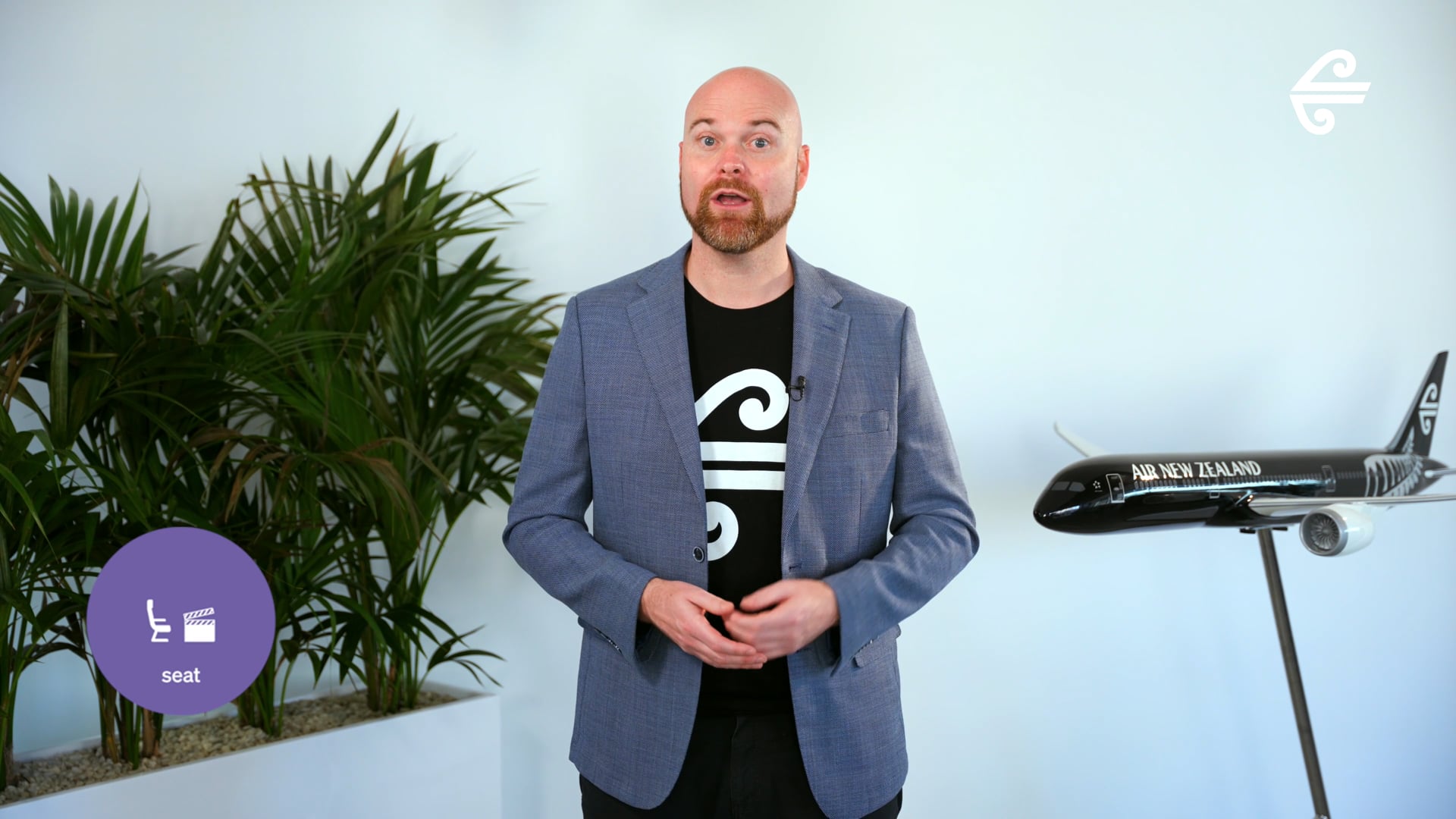
Air New Zealand
JB Hi-Fi
NSW Health
Westpac
Air New Zealand
JB Hi-Fi
NSW Health
Westpac
Air New Zealand
JB Hi-Fi
NSW Health
Featured Work

How-to and product demo content that reduces friction.

Demo and how-to productions for enterprise clients across software, financial services, and retail. Viewer-first briefs, modular production, multi-format delivery.

The Category

How-to and product demo video production, explained.

How-to and product demo video production is the planning, scripting, filming or screen-recording, editing, and delivery of video content built to reduce friction at a specific moment in the buyer or user journey. The output answers a single question: can the viewer act after watching? Buy with confidence, complete the task, find the answer, stop calling support.

Most enterprises think of how-to and product demo as two separate things. The buyer does not. A prospect watching a product demo to decide whether to purchase, and an onboarding user watching a how-to to learn the product, are running the same mental task: can I now do this thing? The strongest brands treat both as the same content category, designed and produced from the same brief. The format adjusts. The viewer-first principle does not.

This is the gap yourfilm. closes. We operate as a connected video production solution. One brief in, one production team, one structural approach to viewer-first content, and a modular delivery framework so a single production day can yield a sales demo, an onboarding module, a support deflection asset, and the social cuts that promote each of them.

The Problem

Most product demos are built for the product team, not the customer

Feature walkthrough. Step-by-step workflow. Screen recording with a voiceover that reads the interface back at you. Most product demo videos are produced by people who already understand the product, for an audience that does not. That gap is rarely bridged, because the brief never asked what the viewer actually finds confusing.

A demo that does not reduce confusion does not reduce support volume, does not improve conversion, and does not shorten the sales cycle. It just exists on a product page. The same problem applies to how-to content: produced as documentation of features, not as resolution of friction. The viewer leaves the video still confused.

"Start with where the viewer gets stuck. Build from there." The principle that shapes every brief we take.
The Insight

Start with where the viewer gets stuck Build from there

yourfilm.'s brief process for demo and how-to content starts with the specific friction point: where do prospects drop off in the sales process, what questions come up on every sales call, which step of onboarding generates the most support tickets, which feature gets misunderstood by 8 out of 10 new users? The script is built to resolve that specific moment, not to document the full product.

The result is content that earns its place in the funnel: a sales demo that shortens conversations, an onboarding video that reduces ramp time, a how-to that deflects support tickets. Whether the brief is one demo or a library of dozens of modular how-tos, the framework is the same. Subscription clients build the library into yourassets so future scripts can draw on what has already been produced.

How-To and Demo Formats

The formats we produce.

Most engagements combine multiple formats from a single production day. A structured demo shoot can yield sales demos, onboarding modules, support-deflection how-tos, and social cuts for product launches. We plan for that during pre-production, not in post.

Sales product demos

The demo a prospect watches when they are still deciding. Built around the specific objections that come up in sales calls. Shorter than a feature tour, sharper than a screen recording. Designed to shorten the sales conversation, not extend it.

Onboarding how-tos

The first 30 days of product use. Modular content covering the moments where new users get stuck, configured around your specific product onboarding flow. Designed to reduce time-to-value and lift activation rates.

Support deflection content

The video that lives in your help centre or product UI. Targeted at the questions your support team answers most often. Built to be searchable, scannable, and short enough that users actually watch it instead of opening a ticket.

Screen recording demos

Software product walkthroughs, app demos, dashboard tours, configuration tutorials. Captured screen with structured voiceover narration. Used where the product is digital and the action lives on screen.

Physical product demos

Live action filming of hardware, equipment, machinery, or physical products in use. Used where the product cannot be demonstrated on a screen. Multi-angle capture, close-ups, talent direction. Often paired with motion graphics for technical overlays.

Hybrid demos with animation

Live action plus motion graphics plus screen recording, combined where the explanation needs all three. Used when the product has both physical and digital components, or when the concept needs visualisation that filming cannot deliver alone. See animation video production.

Decision Tree

Which format is right for the friction you need to remove?

Most briefs start with "we need a demo" or "we need a how-to". The right starting point is the specific friction the video needs to resolve. The format follows the friction, not the other way around. Here is the decision tree we use during pre-production.

Where is the viewer getting stuck?
If the friction is
Prospects dropping off mid-sales-cycle without buying
USE
Sales product demo

Built around the specific objection or confusion that costs deals. Length and structure designed to shorten sales conversations, not document the product. Sits on the product page, in sales decks, and in nurture emails.

If the friction is
New users not reaching activation or first value
USE
Onboarding how-tos

Modular content covering the specific moments where new users get stuck. Built to lift activation rates and reduce ramp time. Lives in the product UI, the help centre, and the onboarding email sequence.

If the friction is
Support team answering the same questions over and over
USE
Support deflection how-tos

Short-form video targeted at your top 20 support tickets. Searchable, scannable, indexed in the help centre. Designed to be the first answer the user finds before they open a ticket.

If the friction is
Showing a digital product or workflow
USE
Screen recording demo

Captured screen plus structured voiceover narration. Used for SaaS, dashboards, software workflows, configuration walkthroughs. Faster to produce than live action, ideal when the action lives on screen.

If the friction is
Demonstrating a physical product, hardware, or process
USE
Physical product demo

Live action filming with multi-angle coverage, close-ups, and talent direction. Used when the product cannot be demonstrated on screen. Often combined with motion graphics for technical overlays and specifications.

If the friction is
Explaining a product with both physical and digital elements
USE
Hybrid demo

Live action plus screen recording plus motion graphics, combined where the product needs all three. Used for connected devices, fintech with physical components, retail with digital experiences, healthcare equipment with software interfaces.

Friction Mapping Anatomy

What a how-to and demo brief looks like before we produce.

The strongest how-to and product demo content is decided at the friction-mapping stage, not in the studio. Demo work that fails almost always fails because the brief started with what to show, not what the viewer needs to understand. Here is what every brief runs through before any script or production work begins.

01
Friction

Where exactly is the viewer getting stuck?

The brief starts with the specific friction point, identified with data where possible. Drop-off in the sales funnel, time-to-activation gap, top support tickets by volume, feature adoption rates. The friction is named before the script is started.

OutputA written friction statement, signed off by the team that owns the metric the video needs to move.
02
Viewer

What does the viewer already know, and not know?

The brief identifies the viewer's existing knowledge level, the language they use to describe the problem, and the assumptions they bring to the moment they hit the video. A demo for a sales prospect needs different framing than a how-to for an existing user.

OutputA viewer profile with a "before / after" frame for what the video needs to change in their understanding.
03
Script

What does the viewer need to see, in what order?

The script is built backward from the friction point and the viewer profile. The first 5 seconds resolve the question the viewer arrived with. The middle covers the action steps in the order the viewer would execute them. The closing tells the viewer what to do next.

OutputA locked script with timing markers, voiceover direction, and visual cues. Treated as a contract, not a draft.
04
System

What lives beyond this video?

One video is one video. A library of viewer-first demos and how-tos is a content system. The brief scopes the visual language, voiceover standards, screen recording conventions, and modular structure documented during production so the next video is faster, cheaper, and consistent with this one.

OutputA how-to and demo production system document, ready to brief the next video in days rather than weeks.
Four stages. Each produces a specific output the next stage needs. Skipping a stage almost always surfaces as a problem in conversion, activation, or support volume, not in the production itself.
One Production Day, A Library of Modules

What one demo production day actually delivers.

Most demo productions deliver one finished video. Ours deliver a library of modular content from a single day. When we plan a how-to or demo production, we plan it backwards from the friction map and the calendar of moments where the videos need to live. One brief, one production day, modular outputs across every viewer scenario.

Sample demo production day

The shoot, hour by hour

08:00
Crew arrival, setup, presenter brief, script run-through
09:00
Hero sales demo, structured around the top three sales objections
10:30
Onboarding module set, 4 to 6 short modules covering first-week activation steps
12:30
Lunch, screen recording sessions for technical workflows continuous
13:30
Support deflection modules, targeted at top 10 support tickets
15:30
Product b-roll bank, close-ups, hand-on-product, screen detail captures
16:30
Social cut moments, hook-led short clips for product launch promotion
17:30
Wrap, footage handover, brief debrief with client team
What comes out of one day

Finished deliverables

Hero sales demo
1
Demo cut-downs (60s, 30s, 15s)
3
Onboarding modules (60-180s each)
6
Support deflection how-tos
8-10
Vertical social cuts (9:16)
6
Portrait in-feed cuts (4:5)
4
Product b-roll, tagged
40+
From one production day
28+
From Concept to Finished Module

How a friction point becomes a finished demo or how-to.

The path from an identified friction point to a finished module library runs through four stages. Each stage produces a specific output the next stage needs. Skipping a stage tends to surface as a problem in conversion, activation, or support volume, not as a problem in the production itself.

STAGE 01

Friction mapping

Specific friction point identified with data where possible. Sales drop-off, activation gaps, top support tickets, feature confusion. The metric the video needs to move is named and owned by a specific team.

Output: friction map →
STAGE 02

Script and storyboard

Script built backwards from the friction point. Hook resolves the question the viewer arrived with. Middle covers action steps in execution order. Close tells the viewer what to do next. Approved before production is scheduled.

Output: locked script →
STAGE 03

Production

Live action, screen recording, motion graphics, or hybrid as the brief requires. Multi-format capture planned into the production day so one production yields a library of modules, not a single video.

Output: master footage and screen captures →
STAGE 04

Edit, modularise, deliver

Hero cut plus modular short-form, screen recording walkthroughs, support deflection cuts, social variants. Captioned, format-exported, ready for sales, onboarding, support, and product team distribution. Library ingest for subscription clients.

Output: module library + production system
The Solution

One solution. Three connected capabilities.

Each capability earns its place on its own. Connected, they remove the friction that makes always-on demo and how-to libraries impossible at most enterprise brands. Project clients use the production capability. Subscription clients access all three.

Capability / 01

yourcrew.

Live action plus screen recording plus animation. One vetted production team.

Specialist crews who can switch between live action filming, structured screen recording, motion graphics, and voiceover production. One brief in, one team out. No coordination across vendors for hybrid demos.

  • Live action, screen recording, and animation specialists
  • One producer running point, one set of standards
  • One contract, one invoice, one tax treatment
Capability / 02

yourassets.

Modular demo library. Every script, every module, indexed and reusable.

A how-to and demo library that grows with every production. AI-supported tagging by product feature, friction point, viewer type, and use case. Modular cuts tagged for sales, onboarding, and support reuse.

  • AI-supported tagging, transcription, and module search
  • Tagged by feature, friction point, and viewer type
  • Library compounds across every production
Capability / 03

yourcontent.

AI-guided production. Faster modular updates, sharper outputs.

AI accelerates the work most where demos need frequent updates as the product evolves. Auto-transcription, captioning, cut-down generation, version updates from script changes. Real editors lead, AI accelerates.

  • AI-guided captioning, cut-downs, and version updates
  • Faster updates when product features change
  • Real editors, accelerated by real tools
Why It Matters

Demo and how-to content should compound. Not get rebuilt.

Same budget. Same product. Different output curve. Without a connected solution, every demo starts from scratch and the production team has to be re-briefed on the product every time. With one, every production day adds modules to the library. New features, version updates, and edge cases get covered faster because the library and the system already exist.

Without yourfilm.

Each demo is briefed from scratch.

2
Q1
3
Q2
2
Q3
3
Q4
10
Demos and how-tos in 12 months
$0
Reusable module library built
With yourfilm.

Each production adds 28+ modules to the library.

28
Q1
56
Q2
90
Q3
120
Q4
294
Modules in 12 months
400+
Library cuts, tagged and reusable

Illustrative figures based on typical subscription engagement output. Real numbers depend on shoot frequency, content brief, and reuse strategy.

Every Production. Every Time.

What every how-to and demo engagement includes.

Every how-to and demo engagement runs through the same six-stage process, whether it is one demo or an always-on module library. Stage six is the difference between a project and a system that compounds across every video that follows.

Stage 01 — Friction map

Brief and data review

Structured brief session covering the specific friction point the video needs to resolve. Sales drop-off, activation gap, support tickets, feature confusion. The metric the video must move is named and owned.

Stage 02 — Script

Script and storyboard

Viewer-first script built backwards from the friction point. Hook resolves the question the viewer arrived with. Action steps in execution order. Closing tells the viewer what to do next. Approved before production starts.

Stage 03 — Production

Live action, screen, or hybrid

Live action filming, structured screen recording, motion graphics, or any combination as the brief requires. Multi-format capture planned so one production yields a library of modules, not one video.

Stage 04 — Modularise

Cuts and exports

Hero cut plus modular short-form, screen recording walkthroughs, support deflection cuts, social variants. Every aspect ratio, every channel, every viewer scenario, mapped at the brief stage.

Stage 05 — Review

Revisions and approvals

Structured review built into every project. One producer manages feedback across product, marketing, sales, support, and brand teams. Approval gates designed for short turnaround.

Stage 06 — Library

yourassets. ingest

Every module ingested and tagged by product feature, friction point, viewer type, and use case. Searchable across every demo the brand has produced. Ready to update or repurpose as the product evolves. Subscription only.

Global Crew, Fast Response

Produce anywhere. Update fast.

Vetted production crews across 40+ markets globally, briefed and managed centrally from Sydney HQ. Live action filming, structured screen recording, motion graphics, voiceover. Most demo briefs go from approval to production scheduled in under a week.

Crews who can switch between live action, screen capture, and animation depending on what the viewer needs to see. One producer running point regardless of which production mode the brief requires. When the product changes and modules need updating, the same team and the same library make the update fast.

Now operating in
Sydney HQ Melbourne Brisbane Perth Auckland Singapore Hong Kong London New York Los Angeles Toronto + 30 more markets
40+
Markets we produce in
3-5wk
Standard delivery time
0
New vendor relationships per market
1
Producer running point per brief
Pricing Guide

Indicative ranges. Every brief priced individually.

There are no fixed rate cards in how-to and demo video production. Costs scale with production mode (live action vs screen recording vs hybrid), number of modules, complexity of motion graphics, voiceover talent, and the size of the module library being produced. The ranges below are honest starting points to help frame the conversation, not finalised quotes.

$3K – $8K
Focused demo or how-to

Single video or small module set. Screen recording or simple live action with structured voiceover. Suited to single product demos, focused onboarding modules, or first how-to library tests.

  • Single product demo
  • Screen recording with voiceover
  • Focused friction resolution
  • 1-3 finished modules
Talk to us →
$25K+
Always-on module library

Always-on demo and how-to programmes, multi-product libraries, multi-language localisation, integrated sales-onboarding-support content systems with subscription access.

  • Multi-product module libraries
  • Multi-language localisation
  • Integrated sales-onboarding-support systems
  • Always-on subscription engagements
Talk to us →
Two Paths, One Solution

Start with one demo. Scale to a library.

Most yourfilm. demo and how-to engagements begin with a single video. A flagship product demo, a critical onboarding module, a high-volume support deflection piece. The work proves the model. Some clients stay project-by-project, and that is a first-class engagement. Others move to subscription because their module library demands it. There is no requirement to commit, no penalty for staying project-by-project.

Path A

Project basis

Defined friction map, fixed scope, fixed module count. One production at a time, priced individually.

Commercials
Pay per project, no retainer
Delivery
Standard 3-5 week turnaround
Access
Production team for the brief
Library
Not included
IP
Client owns finished modules. Live action masters delivered. Animation source files retained.
Best for brands producing fewer than six modules a year, or testing the friction-first approach before committing to a library.
Talk to us about either path →
Built for Enterprise Procurement

The operational reality, handled.

Enterprise brand teams have requirements that consumer agencies struggle to meet. Master service agreements. IP ownership clauses. Indemnity provisions. Brand asset management. Multi-stakeholder approval workflows. Compliance documentation. yourfilm. operates with these as standard, not as exceptions.

MSA-ready commercials

Standard terms drafted for enterprise procurement. Custom terms negotiated where required. No surprises mid-engagement, no chasing approvals on a per-project basis.

Module ownership and source files

All finished demo and how-to modules are owned by the commissioning client on delivery, in every format and aspect ratio scoped at the brief stage. Live action master footage delivered as standard. For modules that include motion graphics, animated overlays, or screen recording animations, the source files (After Effects, motion templates, illustration sets) remain with yourfilm. as standard so future updates and version changes run faster. Full source ownership available, scoped separately if required.

Brand and product-team locked output

Style guides, brand books, and product UX standards enforced through the production team. Product and brand teams review scripts and storyboards pre-production, not finished modules in post. Out-of-brand or technically inaccurate output never reaches the legal review stage.

Multi-stakeholder workflow

One producer manages all approvals across product, marketing, sales, customer success, support, and brand teams. The client team has a single point of contact regardless of how many internal stakeholders need to sign off on a single module.

Talent, voiceover, and licensing

On-camera presenter releases, voiceover artist licensing, music licensing, screen recording usage rights, all handled by the production team. Talent releases scoped for ongoing reuse, not just one-time campaign use. Documentation provided as part of delivery for legal and audit teams.

Single contract, single invoice

Even across 40+ markets, one billing entity, one tax treatment, one paper trail. Procurement does not have to onboard a new supplier for every region.

★★★★★ 5.0 on Google, 25+ reviews

What clients say about working with us.

5.0
25+ Google reviews

Common Questions

How-to and product demo video production, answered.

What is how-to and product demo video production?
How-to and product demo video production is the planning, scripting, filming or screen-recording, editing, and delivery of video content built to reduce friction at a specific moment in the buyer or user journey. The category covers sales product demos, onboarding how-tos, support deflection content, screen recording walkthroughs, physical product demos, and hybrid productions that combine multiple modes. The unifying principle: the script is built backwards from the specific friction the video needs to resolve, not from a list of product features.
Why combine how-to and product demo on one page rather than separating them?
The buyer intent is the same. A prospect watching a product demo to decide whether to purchase, and an onboarding user watching a how-to to learn the product, are running the same mental task: can I now do this thing? The format adjusts based on viewer context, but the brief structure, the viewer-first principle, and the production approach are the same. Treating them as separate categories creates duplicated effort, fragmented libraries, and inconsistent quality across what should be one cohesive content system.
What makes a product demo actually reduce friction in the sales process?
An effective demo is built around the specific objection or confusion it needs to remove, not around documenting all the things the product can do. The brief identifies what the viewer does not yet understand or believe, and the script is built to resolve that. A demo produced this way shortens sales conversations because the viewer arrives having already had the objection addressed.
How is yourfilm different from a traditional product video agency?
A connected video production solution rather than a content vendor. Three integrated capabilities: a vetted global production network capable of live action, screen recording, and animation, a centralised modular content library, and AI-guided production and update workflows. Every production builds on the last. The second demo runs faster than the first because the script framework, voiceover standards, screen recording conventions, and library tagging are already established. Traditional vendors typically deliver the file and end the engagement; the production system is captured and carried forward.
Can you produce a library of how-to content from a single production day?
Yes. Modular production is built into the brief from the start. A structured production day yields a complete set of standalone modules across multiple use cases and user types. A typical day produces a hero demo, demo cut-downs, 6 onboarding modules, 8 to 10 support deflection how-tos, vertical social cuts, and 40+ product b-roll clips for the library. The key is designing the content structure before filming rather than trying to extract modules from footage that was not planned for it.
How much does product demo or how-to video production cost in Australia?
Pricing in Australia ranges from around $3,000 for a focused single demo or screen recording to $25,000+ for always-on multi-product module libraries with subscription access. Most multi-module hybrid productions sit between $8,000 and $25,000. The biggest cost drivers are production mode (live action vs screen recording vs hybrid), number of modules in the library, complexity of motion graphics, voiceover talent, and the size of the module library being produced. See the yourfilm project pricing page for the full breakdown.
How long does a product demo or how-to video take to produce?
Most how-to and demo productions run three to five weeks from brief to delivery, depending on the number of modules, whether filming is required, and the complexity of any animation or screen capture elements. The production team sets the timeline at the start of pre-production and manages it through delivery. Rush timelines are available for time-sensitive briefs, particularly for subscription clients with priority delivery.
How do you handle products that require screen recording or animation rather than live filming?
Screen recording, animation, live action narration, and on-camera talent can all be combined depending on what the viewer needs to see. The brief determines which elements are best shown visually and which are better explained through voiceover. The production approach follows the communication goal, not a default format. For software products, structured screen recording with strategic motion graphics overlays is often more effective than live action. For physical products, the inverse.
Can we use the same content for sales, support, and onboarding?
Yes, and designing for that is part of the brief process. A single well-structured demo can serve as a sales enablement asset, an onboarding resource, and a support deflection tool simultaneously. The format and cut variants that serve each context are planned before filming begins. Subscription clients build this into yourassets so each viewer scenario gets the cut designed for it without re-briefing every time.
What happens when our product changes and the videos need updating?
Product evolution is one of the strongest reasons to work with a connected production solution rather than a single-project vendor. When features change, screen recordings need re-capture, or scripts need updating, the existing module is updated against the same brief framework, voiceover standards, and visual identity, not rebuilt from scratch. Subscription clients get fast version updates because the source files and production system are already in place.
Can we localise modules into multiple languages?
Yes, and it should be planned at the brief stage. A single module can be produced with the visual language locked once and the voiceover, captions, and screen text swapped per market. yourfilm scopes localisation requirements during the brief so the production is built modular rather than monolithic. For technical demos, this is particularly powerful because the production cost amortises across every market the module runs in.
How do you handle multi-stakeholder approvals on demo content?
One producer runs the engagement and manages all approvals across product, marketing, sales, customer success, support, and brand teams. The client team has a single point of contact. Structured review rounds are built into the schedule, with product team and brand team reviewing scripts and storyboards pre-production rather than finished modules in post. This catches technical accuracy issues at script stage, not after the shoot.
How do you use AI in how-to and demo production?
AI accelerates the work most where demos need frequent updates as the product evolves. We use AI-supported tools for automated transcription, captioning across languages, cut-down generation from existing modules, screen capture annotation, and version updates when scripts change. Real editors lead, real producers brief, AI accelerates. The layer that makes always-on module libraries economically viable for enterprise brands.
Who owns the modules and source files after delivery?
The commissioning client owns all finished modules on delivery, in every format and aspect ratio scoped at the brief stage. This includes the hero cut, all viewer-context variants, captioned versions, and any localised cuts. Live action master footage delivered as standard. For modules with motion graphics, animated overlays, kinetic typography, or animated screen elements, the source files (After Effects projects, motion templates, illustration sets) remain with yourfilm as standard so future updates and version changes run faster. Talent releases scoped for ongoing reuse. Music licensing, stock illustration rights, and voiceover usage rights handled by yourfilm and assigned to the client. Full source ownership available for animated work, scoped separately if required.
How does how-to and demo video work alongside other video formats?
How-to and demo content is the friction-resolution layer of the content system. It works alongside brand video (the top-of-funnel "who is this brand"), testimonial video (the validation layer at decision stage), explainer videos (the concept-explanation work), and training video (the formal capability-building work). The strongest content strategies treat them as complementary, with one production day often feeding multiple format categories.
Get Started

Tell us where your viewers get stuck.

One demo to start, or an always-on module library to build. Same team, same standards, transparent pricing on both paths.