\n\n\n\n\n
Training Video Production

Training video production, from a single module to always-on learning content

Built for retention, not just completion. One vetted production team. 40+ markets. Transparent pricing. A connected solution that gets sharper every module.

10,000+
Videos produced
40+
Markets covered
5.0
Google rating
3
Connected capabilities
Trusted by
Brands we run video for
Westpac
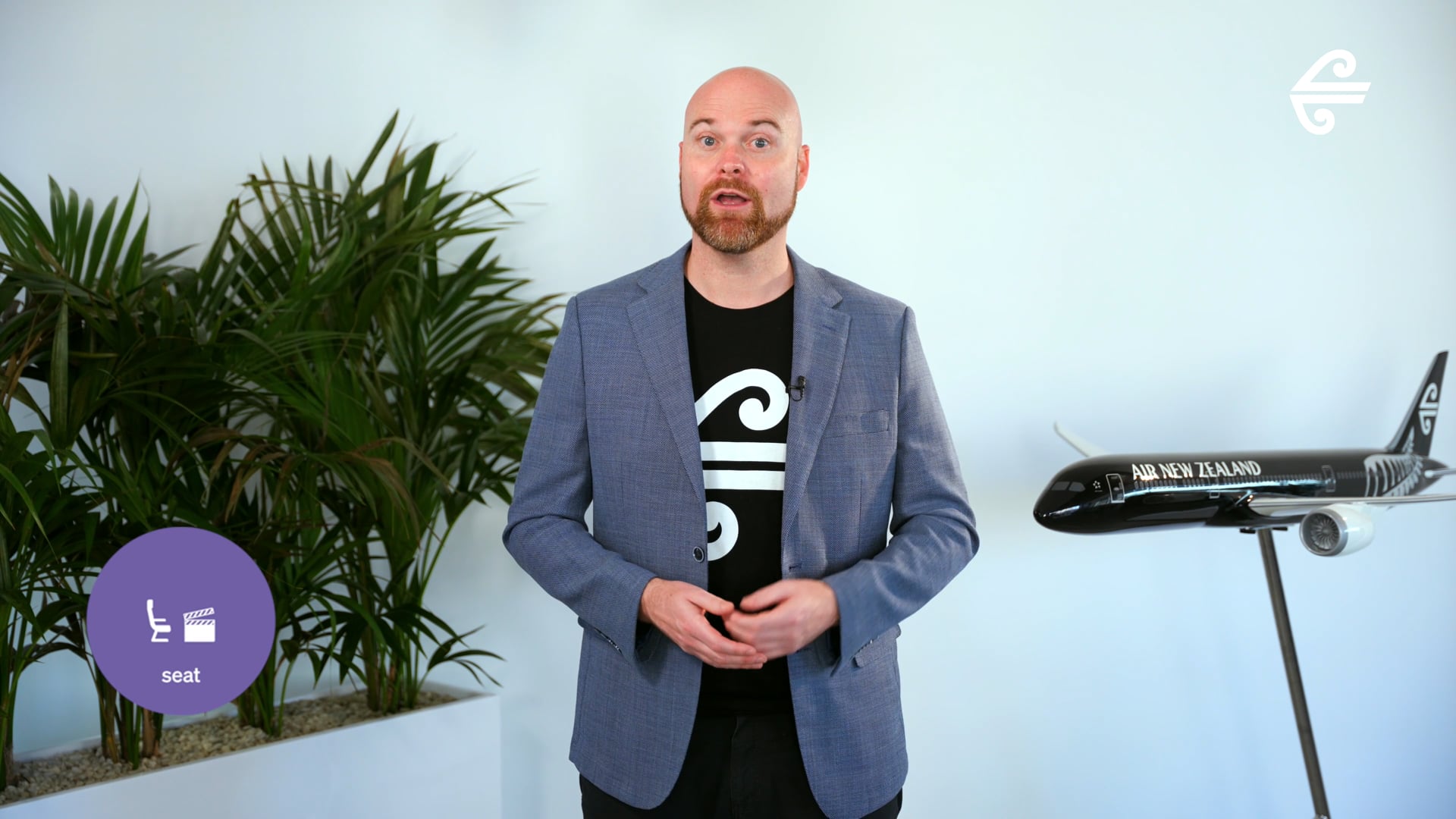
Air New Zealand
JB Hi-Fi
NSW Health
Westpac
Air New Zealand
JB Hi-Fi
NSW Health
Westpac
Air New Zealand
JB Hi-Fi
NSW Health
Featured Work

Training videos enterprise teams have actually finished watching.

A selection of training video work for enterprise clients across financial services, healthcare, government, manufacturing, retail, and professional services. Onboarding, compliance, skills, and learning programmes.

The Category

Training video production, explained.

Training video production is the planning, scripting, design, filming or animating, editing, and delivery of video content built to teach a learner something they did not know, could not do, or did not understand before. The output answers a single question for the learner watching: I get it, can I do it now? Pass the test, complete the task, retain it next week.

Training video sits inside the operational layer of the enterprise, not the marketing layer. It is the work that drives onboarding completion, compliance pass rates, skills transfer, and the difference between a workforce that knows policy and a workforce that applies it. Five years ago, most enterprises commissioned one annual compliance video and called it learning. Today, the same organisations run training video programmes covering onboarding sequences, role-specific skills training, compliance refreshers, microlearning bursts, leader-led module sets, and learning paths localised across markets.

That gap, between the volume of training video required and the cost of building the internal capacity to produce it consistently, is the gap yourfilm. closes. We operate as a connected video production solution. One brief in, one production team, one set of learning design standards, and a learning library that grows more useful with every module.

The Problem

Most training video gets briefed as a recording, not as a learning outcome

A new policy needs rolling out. The L&D team books a production company, scripts a presenter walking through the policy on camera, and the deliverable lands. Compliance ticks the box that everyone "completed" the module. Six months later, an audit shows half the workforce cannot describe what the policy actually requires.

The training was not the problem. The problem was that the brief started with what the trainer wanted to say, not what the learner needed to do. Training that fails almost always fails at the learning design stage, not the production stage. Completion rate is a vanity metric. Retention, application, and behaviour change are what matter. The strongest training videos are scoped around the action the learner needs to take after watching, not the information the policy team needs to communicate.

"Training video that fails almost always fails at the learning design stage, not the production stage." The principle that shapes every brief we take.
The Insight

Design backward from the action the learner needs to take

Whether you need one onboarding module or a multi-year training programme, yourfilm. scopes every training brief against the specific behaviour the module is trying to produce. Learning design sits at the top of the process, not script direction in isolation.

If this is the only module you commission, you get training that actually changes what people do. If you commission more work later, the next module starts from the documented learning framework, script structure, and visual system, not a blank brief. The training library compounds: every module is sharper than the last because the design framework is already tested against real retention data.

Training Video Formats

The training video formats we produce.

Most training programmes combine multiple formats from a single learning design framework. One framework can yield onboarding modules, compliance refreshers, manager-led short-form content, and a tagged library of reusable explainer segments. We plan for that at the design stage, not in post.

Onboarding video

The first 90 days. New starter introductions, role inductions, system walkthroughs, culture content. Used by every enterprise to standardise the first impression and accelerate time-to-productivity. Lives inside the LMS and onboarding portal.

Compliance training

Regulated and audit-trail content. WHS, anti-bribery, modern slavery, privacy, financial services compliance, healthcare protocols. Built to pass audit and to actually change behaviour, not just to be ticked off as completed.

Skills training

Role-specific capability building. Software training, sales methodology, customer service, technical skills, leadership development. Long-form modular content with assessment touchpoints, designed for active learning rather than passive completion.

Microlearning

60 to 180 second focused bursts. Single learning outcome per piece. Used for just-in-time learning, refresher content, and behaviour reinforcement. The format that fits into a coffee break and gets watched on a phone between meetings.

Leader-led modules

Executive and people-leader presenters on camera. Used to lend authority and personal connection to training content. Strongest for change management, strategy roll-outs, values rollouts, and culture-defining modules where the message needs a face.

Multi-module learning programmes

Sequenced learning paths covering 10 to 50 modules with consistent visual identity, learning outcomes, and assessment design. Used for large-scale training initiatives like sales academy roll-outs, leadership programmes, or enterprise-wide platform training.

Decision Tree

Which training format is right for the brief?

Most L&D teams know they need video. Fewer know exactly which format will land. The right format follows the learning outcome, the audience, and the moment in the learning journey. Here is the decision tree we use during brief.

What behaviour does the training need to produce?
If the goal is
Onboarding new hires to systems, processes, and culture
USE
Onboarding module

5 to 15 minute structured content. Lives inside the LMS or onboarding portal. Sequenced to deliver the right information at the right point in the first 90 days.

If the goal is
Meeting a regulatory or audit obligation
USE
Compliance training

Audit-trail content. Built to pass regulator review and actually change behaviour. Includes assessment touchpoints, completion tracking, and refresher cadence design.

If the goal is
Capability uplift in a specific role or skill
USE
Skills training

Long-form modular content. Software training, sales methodology, customer service, leadership development. Active learning design, not passive completion.

If the goal is
Reinforcement, just-in-time learning, or behaviour change
USE
Microlearning

60 to 180 second focused bursts. Single learning outcome per piece. Watched on a phone between meetings, in a coffee break, or as a refresher.

If the goal is
Change management, strategy, or culture content
USE
Leader-led module

Executive or people-leader presenters on camera. Used when authority and personal connection matter more than abstract instruction. Strongest for values, strategy, and major change moments.

If the goal is
A multi-month learning programme covering many topics
USE
Multi-module learning programme

10 to 50 modules with consistent visual identity, sequenced learning outcomes, and assessment design. Used for sales academies, leadership programmes, or enterprise platform training.

Learning Design Anatomy

What a training brief looks like before we script.

The strongest training video is decided at the design stage, not in the studio. Training work that fails almost always fails at the learning outcome stage, not the production stage. Here is what every training brief runs through before any script or shoot work begins.

01
Outcome

What should the learner do differently after watching?

The brief starts with the specific behaviour the module is trying to produce. Not "understand the policy". Not "be aware of the change". The exact action, decision, or capability the learner needs to demonstrate afterwards.

OutputA written learning outcome statement, signed off by the brief owner, that every script and visual decision is measured against.
02
Audience

Who is the learner and what do they already know?

Training aimed at everyone teaches no one. The brief identifies the specific learner cohort, their role, their existing knowledge, and the gap the module needs to close. Training a new graduate is not the same as refreshing a 10-year veteran.

OutputA learner profile and a "before / after" frame for what the module needs to change in their capability.
03
Structure

How does the module unfold to drive retention?

Order matters in training. Hook the learner with relevance, build the concept, demonstrate the application, reinforce the key behaviour. The strongest training videos follow proven instructional structure rather than presenter-led monologue.

OutputA locked structural outline showing how the module moves from hook to retention check.
04
System

What lives beyond this module?

The module is one piece. The training system needs to extend to every future module. The brief scopes the visual identity, presenter style, learning design framework, and reusable graphic system documented during production.

OutputA learning video system document, ready to brief any future module on the same standards.
Four stages. Each produces a specific output the next stage needs. Skipping a stage almost always surfaces as a problem in retention rate, not completion rate.
One Shoot, Multiple Modules

What one training shoot day actually delivers.

Most training shoots deliver one module. Ours deliver an entire learning programme's worth. When we plan a training shoot, we plan it backwards from the full module map. One presenter, one location, one day. Multiple finished modules, plus a tagged content library ready for compliance refreshers, microlearning bursts, and future module updates.

Sample training shoot day

The shoot, hour by hour

07:30
Crew arrival, lighting setup, set lockdown
08:30
Presenter brief, script run-through, autocue and pacing check
09:00
Module 1, hero onboarding piece, full script run
10:30
Module 2, role-specific skills training
12:00
Lunch break, microlearning bursts captured during reset
13:00
Module 3, compliance content with assessment hooks
15:00
Leader segments, intros, sign-offs, change moments
17:00
Wrap, footage handover, brief debrief
What comes out of one day

Finished deliverables

Full training modules (5-15 min)
3
Microlearning bursts (60-180s)
8
Leader-led intro and sign-off segments
4
Assessment moment cutaways
6
In-feed social cuts (4:5) for internal comms
4
Presenter b-roll library, tagged
30+
Localisation-ready captions
All
From one shoot day
20+
From SME to Learner

How subject matter expertise becomes effective training video.

The path from an internal expert's knowledge to a finished training module runs through four stages. Each stage produces a specific output the next stage needs. Skipping a stage tends to surface as a problem in retention, not as a problem at the stage that was skipped.

STAGE 01

SME extraction and outcome

Structured session with the subject matter expert to pull the knowledge out. Distil the topic to the specific learning outcome. What does the learner actually need to do differently?

Output: learning outcome brief →
STAGE 02

Script and structure

Script written for the learner's existing knowledge level. Structure built around proven instructional design: hook, build, demonstrate, reinforce. Reviewed by SME for accuracy before any production starts.

Output: SME-approved script →
STAGE 03

Production

Presenter casting and direction, location, set, autocue. Multi-module planning so a single shoot day yields the full programme. Animation and motion graphics scoped where the topic needs visualisation.

Output: master footage and assets →
STAGE 04

Edit, LMS, and reuse system

Edit, captions, motion graphics, knowledge check overlays where required. Delivery formats matched to the LMS spec. Learning design framework documented for every future module.

Output: LMS-ready modules + system
The Solution

One solution. Three connected capabilities.

Each capability earns its place on its own. Connected, they remove the friction that makes always-on training video impossible at most enterprise organisations. Project clients use the production capability. Subscription clients access all three.

Capability / 01

yourcrew.

Global production network. Presenter-experienced crews, learning-design-fluent producers.

Training production across 40+ markets. Crews trained on presenter direction, autocue management, and learning-content pacing. Producers fluent in instructional design, not just camera direction.

  • Presenter-experienced directors
  • One producer running point, one set of standards
  • One contract, one invoice, one tax treatment
Capability / 02

yourassets.

Learning content library. Every module, every segment, organised by topic and outcome.

A learning content library that grows with every module. Tagged by learning outcome, role, regulator, and competency. Updates flow once and apply everywhere a clip is reused.

  • AI-supported transcription, search, and topic tagging
  • Compliance-ready version control
  • Library compounds across every module
Capability / 03

yourcontent.

AI-guided learning production. Localisation and reuse built in.

AI accelerates the work. Captions, transcripts, knowledge-check question drafts, localised voiceover versions, microlearning cut-downs all designed in from the brief. Faster turnarounds, sharper retention.

  • AI-guided editing, localisation, and microlearning generation
  • Captions and accessibility built in
  • Real crews and instructional designers, accelerated by real tools
Why It Matters

Training content should compound. Not reset.

Same budget. Same calendar. Different output curve. Without a connected solution, every module starts from a blank script and the learning library never grows. With one, output grows even when spend stays flat.

Without yourfilm.

Every module starts from scratch.

2
Q1
3
Q2
2
Q3
3
Q4
10
Training modules in 12 months
$0
Reusable learning library built
With yourfilm.

Every project adds to the learning library.

12
Q1
24
Q2
38
Q3
52
Q4
126
Training modules in 12 months
300+
Microlearning bursts, tagged

Illustrative figures based on typical subscription engagement output. Real numbers depend on shoot frequency, content brief, and reuse strategy.

Every Module. Every Time.

What every training engagement includes.

Every training engagement runs through the same six-stage process, whether it is one module or a year of always-on learning content. Stage six is the difference between a project and a learning system.

Stage 01 — Discovery

Outcome and audience

Structured brief session with the L&D lead and subject matter expert. Learning outcome locked. Learner profile defined. Pre-existing knowledge mapped. Approved before any script work begins.

Stage 02 — Script

SME-approved scripting

Script written for the learner's existing knowledge level. Structure built around proven instructional design. Subject matter expert reviews for accuracy before any production begins.

Stage 03 — Production

Filming and presenter direction

Presenter casting and direction, location, set, autocue. Multi-module planning so a single shoot day yields a full programme. Animation scoped where the topic needs visualisation.

Stage 04 — Edit and LMS

Modules, microlearning, captions

Edit, captions, motion graphics, knowledge check overlays where required. Microlearning bursts cut from longer modules. Delivery formats matched to the client's LMS spec.

Stage 05 — Review

SME and compliance sign-off

Structured review built into every project. Subject matter expert, L&D lead, and compliance team approval gates. One producer manages feedback across stakeholders.

Stage 06 — Library ingest

yourassets. library

Every module ingested, tagged by learning outcome, role, and competency. Reusable segments documented. Ready to brief the next module faster, with the SME work already captured. Subscription only.

Global Crew, Fast Response

Train anywhere. Move fast.

Vetted training-production crews across 40+ markets globally, briefed and managed centrally from Sydney HQ. Most training briefs go from approval to shoot in under two weeks.

Crews already vetted on presenter direction and learning-content production. Specialist directors who know how to work with a non-actor SME on camera. Producers fluent in instructional design. One producer running point, one set of standards, regardless of where the shoot lands.

Now operating in
Sydney HQ Melbourne Brisbane Perth Auckland Singapore Hong Kong London New York Los Angeles Toronto + 30 more markets
40+
Markets we film in
2-3wk
Standard delivery time
0
New vendor relationships per market
1
Producer running point per brief
Pricing Guide

Indicative ranges. Every brief priced individually.

There are no fixed rate cards in training video production. Costs scale with number of modules, presenter requirements, animation complexity, assessment integration, localisation scope, and LMS integration work. The ranges below are honest starting points to help frame the conversation, not finalised quotes.

$3K – $8K
Focused module

Single module, defined scope. Single presenter, simple set, basic motion graphics. Suited to one compliance module, a single onboarding piece, or a short microlearning series.

  • Single compliance module
  • Standalone onboarding piece
  • Short microlearning set
  • Simple presenter content
Talk to us →
$25K+
Enterprise learning programme

Multi-month learning programmes, sales academy builds, multi-market localisation, complex compliance suites, full LMS integration with assessment design. Always-on learning content production with tagged library output.

  • 10 to 50 module programmes
  • Multi-market localised training
  • Sales academies and leadership programmes
  • Always-on subscription engagements
Talk to us →
Two Paths, One Solution

Start with one module. Scale when it makes sense.

Most yourfilm. training engagements begin with a single project. A compliance refresh, a new onboarding module, a single skills series. The work proves the model. Some clients stay project-by-project, and that is a first-class engagement. Others move to subscription because their learning content volume justifies it. There is no requirement to commit, no penalty for staying project-by-project.

Path A

Project basis

Defined brief, fixed scope, fixed deliverables. One training project at a time, priced individually.

Commercials
Pay per project, no retainer
Delivery
Standard 3-4 week turnaround
Access
Production team for the brief
Library
Not included
IP
Client owns finished modules. Animation source files retained.
Best for organisations commissioning fewer than four modules a year, or testing the model before committing.
Built for Enterprise Procurement

The operational reality, handled.

Enterprise brand teams have requirements that consumer agencies struggle to meet. Master service agreements. IP ownership clauses. Indemnity provisions. Brand asset management. Multi-stakeholder approval workflows. Compliance documentation. yourfilm. operates with these as standard, not as exceptions.

MSA-ready commercials

Standard terms drafted for enterprise procurement. Custom terms negotiated where required. No surprises mid-engagement, no chasing approvals on a per-project basis.

Finished content ownership

All finished training modules are owned by the commissioning client on delivery, in every format scoped at the brief stage. Live action presenter content delivered as masters. Where modules include animation or motion graphics, the source files (After Effects, illustration sets, motion templates) remain with yourfilm. as standard so future updates run faster. Full source ownership available, scoped separately if required.

LMS-ready delivery

Modules delivered in formats matched to your LMS spec. SCORM, xAPI, MP4 with locked metadata, captions, audio descriptions where required. Knowledge check integration points planned at the script stage, not bolted on after.

SME and compliance workflow

One producer manages approvals across L&D, subject matter experts, compliance, and legal teams. SME review built into the script stage, before any production starts. Compliance review built into final delivery. Approval gates structured to catch issues early.

Accessibility and clearances

Captioning, audio descriptions, transcripts, font and colour contrast standards built into delivery as standard for accessibility compliance. Presenter releases, music licensing, stock illustration rights handled in-house. Documentation provided for audit teams.

Single contract, single invoice

Even across 40+ markets, one billing entity, one tax treatment, one paper trail. Procurement does not have to onboard a new supplier for every region.

★★★★★ 5.0 on Google, 25+ reviews

What clients say about working with us.

5.0
25+ Google reviews

Common Questions

Training video production, answered.

What is training video production?
Training video production is the planning, learning design, scripting, filming or animating, editing, and delivery of video content built to teach a learner something new. The category covers onboarding videos, compliance training, skills training, microlearning, leader-led modules, and multi-module learning programmes. Training video sits inside the operational layer of an enterprise: it answers "can the learner now do the thing?" rather than "who is this brand?" or "what does this product do?". The distinction matters because training is scoped against learning outcomes, not against features or brand messaging.
What is the difference between training video and corporate video?
Training video is learning-led. It is scoped against a specific behaviour change in the learner. Corporate video is a broader category that covers internal communications, executive communications, town halls, all-hands updates, and other enterprise content that does not have a structured learning outcome. Most enterprises need both. See corporate video production for the broader internal communications category.
How is yourfilm different from a traditional eLearning vendor?
A connected video production solution rather than a single-service eLearning vendor. Three integrated capabilities: a vetted global production network with presenter-experienced crews, a centralised learning content library, and AI-guided learning production. Every module builds on the last. The second module runs faster than the first because the visual identity, presenter style, and learning design framework are already in the library. Traditional eLearning vendors typically deliver the module and end the engagement; the learning system is captured and carried forward.
Do you work on single training projects or ongoing programmes?
Both. Most engagements start with a single module, often a compliance update or an onboarding piece. Enterprises move to subscription when their learning content volume justifies it, usually around four or more modules a year. There is no requirement to commit. Project clients and subscription clients are both first-class engagements and both use the same crews and producers.
How much does a training video cost in Australia?
Training video pricing in Australia ranges from around $3,000 for a focused single module to $25,000+ for multi-module learning programmes or sales academy builds. Most training shoots and short programmes sit between $8,000 and $25,000. The biggest cost drivers are number of modules, presenter requirements (internal SME vs professional presenter), animation complexity, LMS integration scope, and localisation. See the yourfilm project pricing page for the full breakdown.
How long does a training video take from brief to delivery?
Standard delivery is three to four weeks from approved brief to final module. Learning design and scripting typically run one to two weeks. Production runs one day per multi-module shoot. Post-production runs one to two weeks. Multi-module learning programmes with 10+ modules can run eight to twelve weeks. Rush timelines are available for time-sensitive briefs, particularly for subscription clients with priority delivery.
How long should a training video be?
Length follows the learning outcome and the moment of consumption. Microlearning sits at 60 to 180 seconds. Standard training modules run 3 to 8 minutes. Skills training and onboarding modules can run 10 to 15 minutes when the topic justifies it. Compliance training is usually 5 to 12 minutes per module to allow for required content coverage. The strongest training video respects the learner's time: it cuts everything not directly serving the outcome.
Should we use a professional presenter or an internal subject matter expert?
It depends on the learning outcome. Compliance, policy, and culture content usually lands better with an internal leader or SME on camera because authority and authenticity matter. Skills training, microlearning, and high-volume content often work better with a trained presenter for consistency and pacing. Hybrid approaches (SME giving the technical content, presenter handling the framing) work for complex topics. yourfilm directs both confidently and scopes the right choice at the brief stage.
Where do you produce training video?
Across 40+ markets globally. Vetted training-production crews operate in Australia, New Zealand, the United States, the United Kingdom, Singapore, Hong Kong, Canada, and beyond. All crews briefed and managed centrally from Sydney HQ. One producer runs point regardless of where the shoot happens. Presenter and SME availability usually drives location, and we work to that constraint.
How do you handle compliance and regulatory training requirements?
Compliance training is scoped against the specific regulator and the audit standard the module needs to satisfy. Subject matter expert review built into the script stage. Compliance team approval gates built into final delivery. Version control on every clip for audit trail. Accessibility standards (captions, transcripts, audio descriptions where required) built into delivery as standard, not added at the end.
Can training video be delivered into our LMS?
Yes. Modules are delivered in formats matched to your LMS spec. SCORM, xAPI, MP4 with locked metadata, captions, audio descriptions where required. Knowledge check integration points planned at the script stage. We work with all major enterprise LMS platforms and provide LMS-ready packaging as part of standard delivery.
How do you measure whether training video actually works?
Completion rates are a vanity metric. The training that matters drives retention, application, and behaviour change. We help scope measurable learning outcomes at the brief stage so success can be tracked against specific behaviour change, knowledge check pass rates, or operational metrics afterward. The strongest enterprises pair training video with structured post-launch measurement rather than treating completion as success.
Can the same training module be localised for different markets?
Yes, and animation-based training localises faster and cheaper than presenter-led training. A single animated module can be produced with the visual system locked once and the voice over, text overlays, and cultural references swapped per market. Presenter-led content typically needs a re-shoot per market or a hybrid voice-over treatment. yourfilm scopes localisation at the brief stage so the module is built modular rather than monolithic.
Who owns the training video and source files after delivery?
The commissioning client owns all finished training modules on delivery, in every format and aspect ratio specified at the brief stage. This includes the master file, all cut-downs, microlearning bursts, and any localised versions scoped in the original brief. For live action presenter modules, finished masters are standard delivery. For animated training, motion graphics, and any hybrid module with animated overlays, source files (After Effects projects, illustration sets, character rigs, motion templates) remain with yourfilm as standard so future cuts and version updates run faster. Presenter releases, music licensing, stock illustration rights are handled by yourfilm and assigned to the client as part of standard delivery. Full source ownership available for animated work, scoped separately and priced if required.
How does training video work alongside other video formats?
Training video is internal-facing operational content. It works alongside but separately to external-facing video formats like brand, explainer, and testimonial. Most enterprises run training video as a dedicated programme rather than mixing it into the marketing video calendar. See corporate video production for related internal communications work, and explainer videos for the explainer category which sometimes overlaps with onboarding.
Get Started

Tell us what your learners need to do differently.

A single module to start, or an always-on learning programme to build. Same team, same standards, transparent pricing on both paths.